What are Gaming Peripherals?
This is the first part to the post: What are gaming peripherals? While the term, “peripherals,” may sound a little complicated to somebody who doesn’t understand its meaning, a peripheral is essentially just an accessory. This means that we can simply define gaming peripherals as gaming accessories. What exactly is considered a gaming accessory? In this case, nearly everything involving gaming that isn’t the game or console/PC, itself. This means that the “gaming peripherals” category includes monitors, speakers, keyboards, mice, controllers, and much, much more. In order to keep this post from being longer than a grad school thesis paper, we’re just going to look at two different, relatively well-known peripherals for PC gaming: the mouse and keyboard. In exploring these, we’ll keep things simple and compare an older version of each with a newer, more modern-day version of each.
IBM Model M
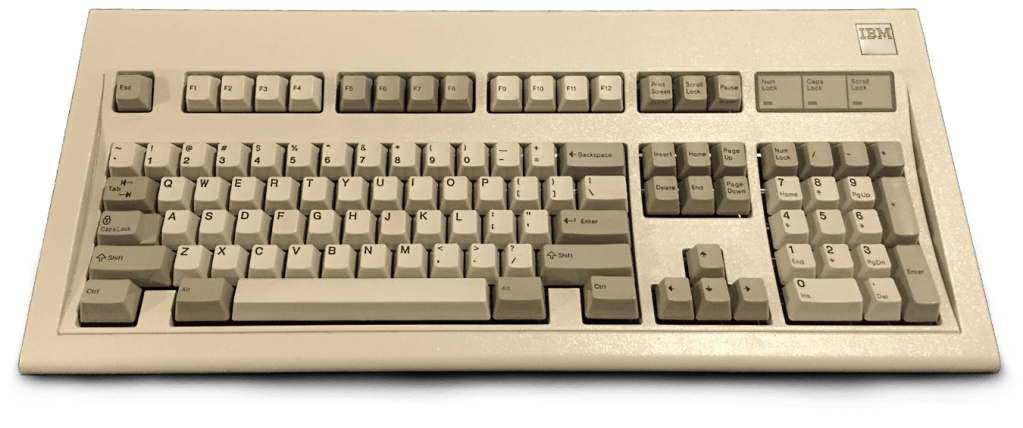
Starting off, we use improper grad school thesis paper-writing etiquette, as we use Wikipedia as a source of information for the IBM Model M. Released in 1985, the Model M is considered to be a major stepping stone in the path to present-day keyboards. Most of these keyboards came with a buckling-spring key design and swappable keycaps. Many people still use this keyboard to this day due to its design, durability, and feedback for pressing keys.
Razer Hunstman Elite
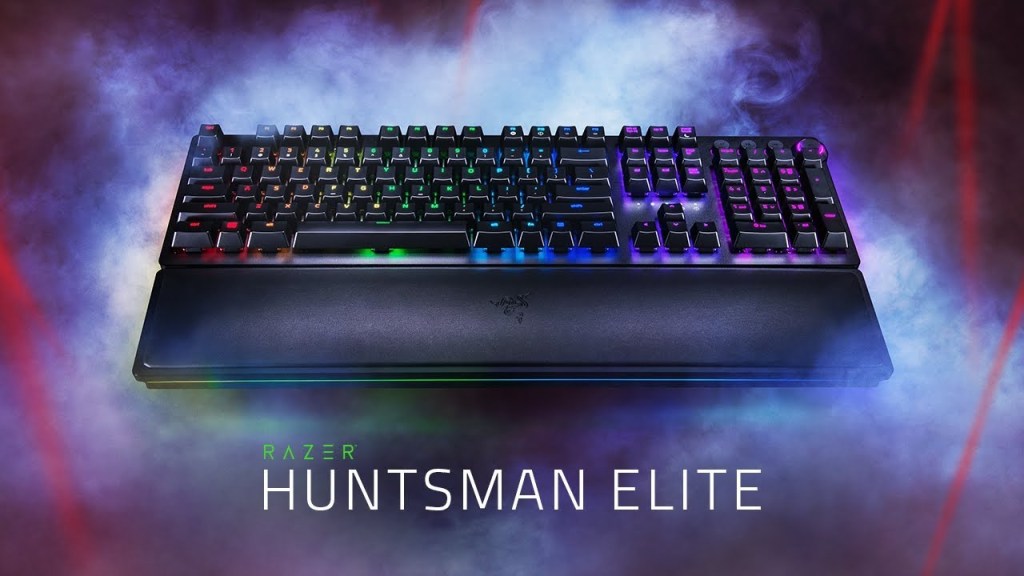
Next, as our modern-day keyboard, we present the Razer Hunstman Elite. While a date couldn’t be found for its release (which you would expect to be a simple task), this keyboard released within the past few years and delivers an experience that is sure to be different from IBM’s Model M. With this being my personal keyboard, it’s here partially due to bias, but, it is also representative of a modern keyboard. Going straight to the source, using Razer as our source for this one, we see the many aspects of this keyboard. With this keyboard, you can choose red, light and instant switches, or purple, light and clicky switches. Razer boasts that these switches are optomechanical and activate at the speed of light, as they use an optical light sensor. As well as instant keys, this keyboard features dedicated media keys, including a volume dial. Making this more modern and ergonomic, Razer, of course, includes their RGB lighting which can be customized to the user’s liking, and a leatherette wrist-rest, which, with the Huntsman Elite, also includes RGB lighting. In fact, the entire keyboard has a light strip around it that provides a nice underglow.
First Mouse – Douglas Engelbart
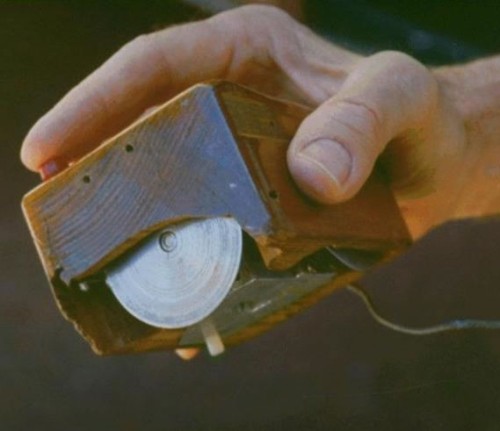
Below is a picture of the first mouse, created by Douglas Engelbart in 1964. While this is a bit older than the old keyboard we used, it’s a fun one to explore. According to Computing History, this mouse, “consisted of a wooden shell, circuit board and two metal wheels that came into contact with the surface it was being used on.”
It was 8 years later in 1972 that Bill English developed the design further by inventing what is known as the “Ball Mouse” that we know today. The ball replaced the wheels and was capable of monitoring movement in any diection. The ball came into contact with two rollers that in turn spun wheels with graduations on them that could be turned into electrical pulses representing direction and speed.
–Computing History
After this “Ball Mouse,” the optical mouse that we know and likely use today, was created and put left the ball mouse, and certainly the wooden mouse, in its shadow.
Razer Naga Trinity
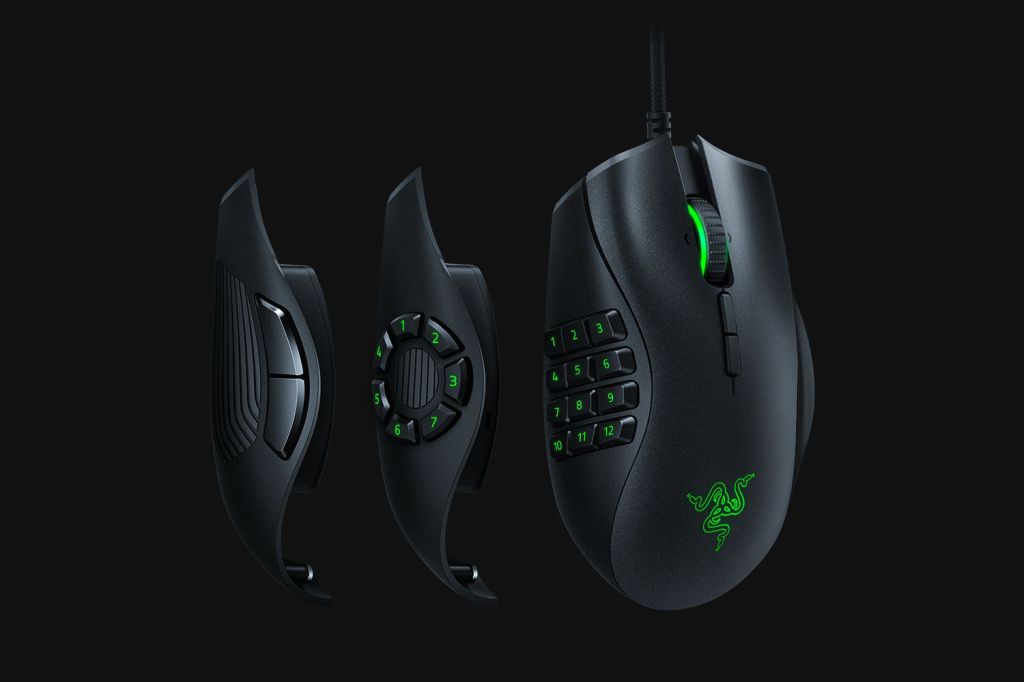
Once again, we have chosen my personal mouse, the Razer Naga Trinity. This mouse is a step or two above the wooden mouse found above. While, again, a release date wasn’t found, we go to Razer for our information. The mouse gets the “Trinity” part of its name from the three different side panels that can be swapped while using this mouse, with 2, 7, and 12 button layouts. As well as having a swappable side panel, the mouse features Razer RGB lighting, “the world’s most advanced 5G optical sensor,” and “true 16,000 DPI,” allowing for a large amount of customization with DPI levels and supposedly deadly accuracy.
Fun Fact: As mentioned, gaming peripherals include many more things than just mice and keyboards. Razer, used for our modern day examples sells a specific peripheral that I wouldn’t have thought about: Mouse pads. Razer sells a few different mouse pads, some even including RGB. Would the world have ever seen light-up mouse pads coming 50 years ago?
Razer Peripherals image from: The Verge
Follow My Blog
Get new content delivered directly to your inbox.
 Work in Progress